Core concepts
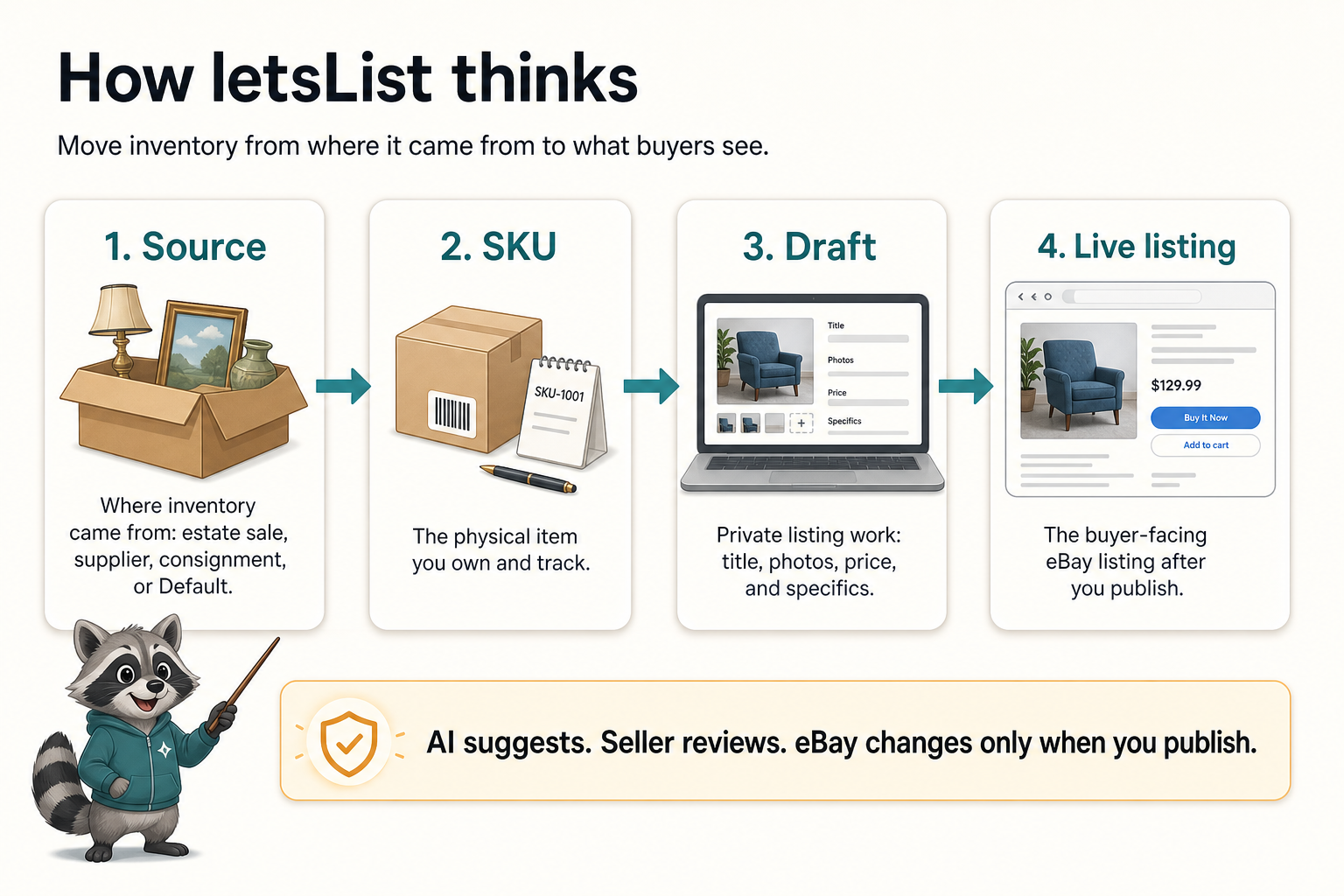
letsList is easiest to use once four objects click: a , a , a , and a . Most screens are just different ways of moving inventory through that chain while keeping you in control.
The four objects you see everywhere
The deal, haul, consignment, or default bucket an item belongs to.
The physical item in your inventory. It answers “what is this?” and “where did it come from?”
The editable eBay listing work: title, category, photos, Item Specifics, price, policies, and description.
The listing currently published on eBay. Publishing a draft updates what buyers see.
answer “where did this come from?”
A is the container for a batch of inventory. It might be an estate sale, a storage unit cleanout, a library auction, a motorcycle-parts haul, or a consignment relationship.
If you do not buy inventory in batches, you can ignore sources at first. letsList starts with a source so casual sellers can create listings without learning an inventory system first.
Sources become powerful when you want each deal to have its own cost tracking, pending work, and “am I done with this batch?” signal.
A is the item, not the listing
In letsList, a represents the thing you have in stock. It can hold the item's photos, private notes, quantity, cost, and identity. That makes the SKU stable even while listing work changes around it.
This is why the and are separate. The SKU is “what this physical item is.” The draft is “how I am going to present it on eBay right now.”
are where listing work happens
A is the editable version of an eBay listing. When you create a new item, the draft is where you review the title, category, Item Specifics, description, photos, price, package details, shipping, payment, and returns.
If the listing is already live, you can create a revision draft. That gives you a safe place to prepare changes before sending them back to eBay.
are what buyers see
A is the published eBay listing. It is the buyer-facing record. letsList can help create it, it, and keep a synced view of it, but live means it is no longer just preparation work.
The practical rule is simple: draft work is private until you . Published work affects the live listing.
AI suggests. You review.
letsList uses AI to prepare tedious listing work: reading photos, proposing titles, choosing categories, filling Item Specifics, drafting descriptions, and improving weak listings. The point is speed with seller control, not one-click mystery changes.
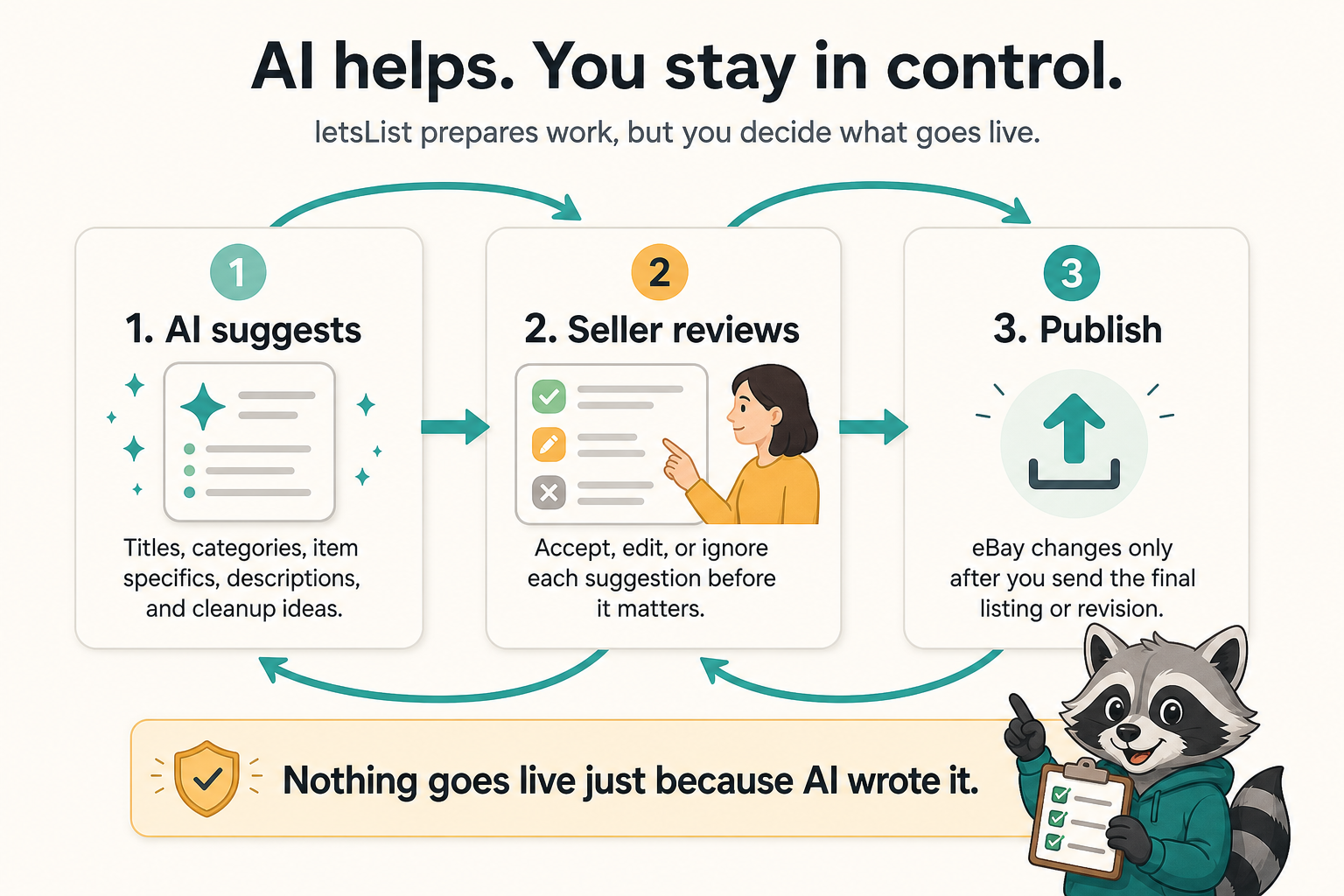
- AI is a preparation layer, not the final authority.
- You can change titles, categories, Item Specifics, prices, policies, photos, and descriptions before publishing.
- Nothing needs to go live until you choose the publish action.
Where the fits
The is the batch-intake screen for the source you have selected. Drop in a camera roll, create or pick the each group of photos belongs to, and start draft work once the physical item has a home.
How high-volume sellers batch photos, create SKUs, and clear loose inventory work one source at a time.