Blueprints and foundations
A describes how your business normally sells. A describes how you normally sell a class of items. The holds the facts and choices for one actual item. letsList stacks those three layers so you can reuse good decisions without turning every listing into a clone.
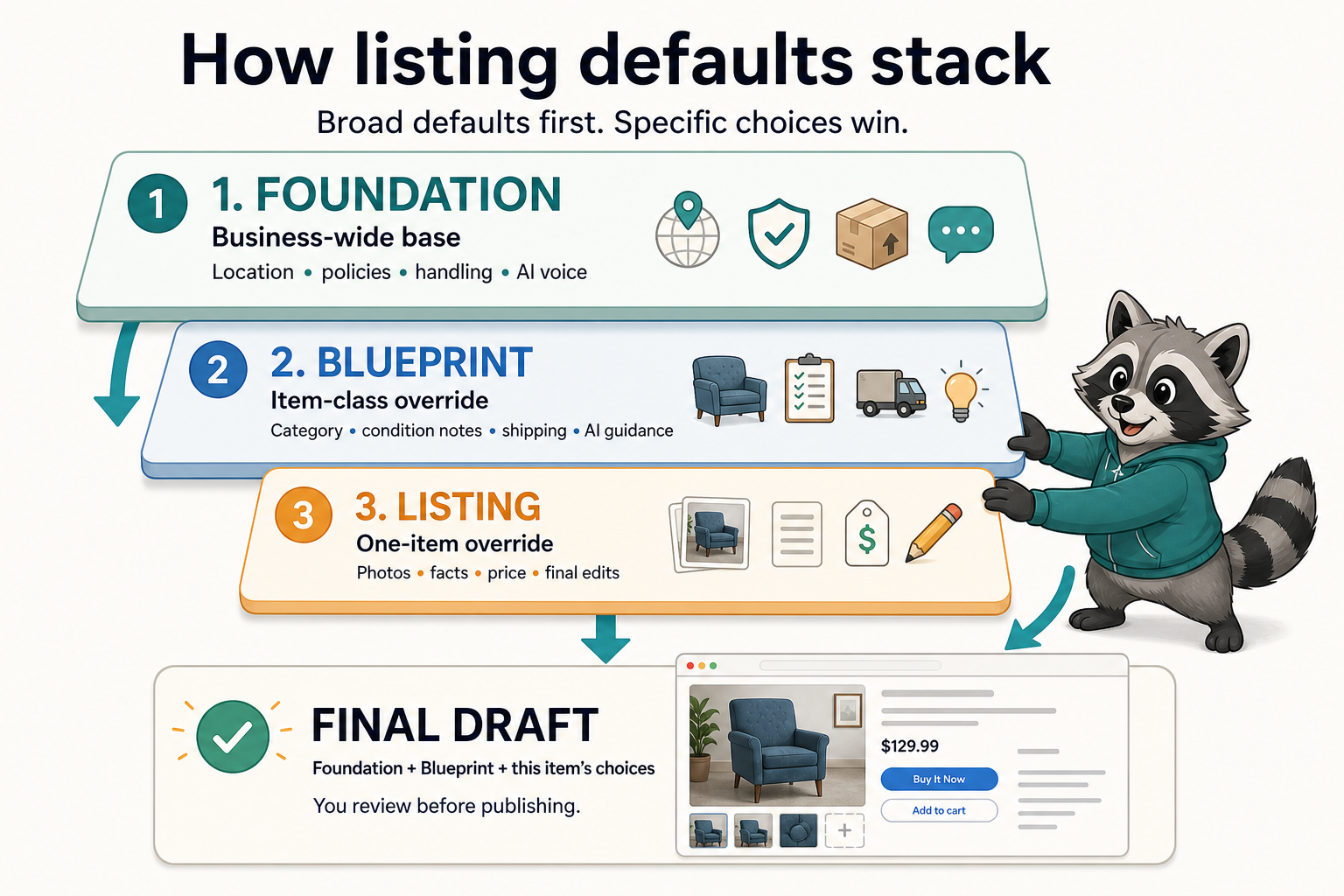
The short version: how, what, and this one
How do we sell?
Business-wide defaults that should be true for many kinds of inventory.
What kind of item is this?
Reusable choices and AI guidance for books, clothing, electronics, or another item class.
What is true for this one?
The actual photos, condition, specifics, price, and edits for the item in front of you.
Specific choices win. A Foundation might default to one shipping policy; a furniture Blueprint can use a different policy; and the draft for one local-pickup chair can override both. Reuse should save typing, not take away judgment.
Your is the business-wide base
letsList creates a default Foundation for your eBay account. You normally review it once, then return only when your business rules change. It supplies the values that should not need to be re-entered for every new listing.
- Ship-from country, city, postal code, and currency
- Payment, return, and shipping policies
- Handling time, listing format, and listing duration
- Business-wide AI guidance, such as tone or standard seller promises
Keep this layer broad. A return policy belongs here. A default category for vintage cameras does not, because the Foundation also applies when you list a book or a jacket.
A captures item-class judgment
Blueprints are optional and seller-created. Make one when you repeatedly list the same kind of thing and find yourself making the same choices or giving AI the same instructions. A useful Blueprint is closer to “Used books” than to “Tuesday's blue hardcover.”
- A category that usually fits this class of item
- Condition-description language that should start every item in the class
- A shipping policy or package pattern that is specific to the class
- AI guidance about the facts buyers expect for that type of item
Good AI guidance names what to inspect, not what to invent. A book Blueprint might say “look for edition, ISBN, binding, highlighting, and ex-library marks.” The photos and seller notes still determine which of those facts are actually true.
Applying a Blueprint stamps the draft
You can choose a Blueprint while creating drafts from SKUs or apply one inside the listing editor. At that moment, its settings are copied into the draft as an override layer and its AI guidance becomes context for the item.
It is a stamp, not a live link
Editing the Blueprint later improves drafts you apply it to later. It does not silently rewrite existing drafts or live listings. Reapply deliberately when you want the updated defaults on work already in progress.
This boundary keeps reusable defaults predictable. A template can accelerate a draft, but the draft remains an editable record of what you intend to publish for one SKU.
A practical setup sequence
- Open Foundations and verify your location, currency, policies, handling time, and business-wide AI guidance.
- Create a Blueprint only for an item class you expect to list repeatedly.
- Give the Blueprint a short code and a clear name that your team will recognize.
- Add class-specific category, condition, shipping, and AI guidance defaults.
- Select the Blueprint when creating a draft, then inspect and edit the actual item.
- Review the finished draft before publishing. The individual item always gets the final decision.
Common mistakes
- Putting item-class rules in the Foundation. If the rule is only true for books, clothing, or electronics, put it in a Blueprint.
- Making a Blueprint for every item. One-off facts belong on the SKU or draft. Blueprints earn their keep through repetition.
- Treating AI guidance as item data. Guidance tells AI what to inspect and how to write. It does not prove a brand, model, condition, or identifier.
- Expecting template edits to rewrite live inventory. Foundations and Blueprints initialize work; publishing remains an explicit per-listing action.
The last layer is seller review
Defaults and AI can prepare most of the form, but they cannot see every defect, business exception, or pricing decision. The publish flow gives the final draft back to you.
What to verify, how revision diffs work, and what changes only after you publish.